Case studies

Making complex systems clearer and more usable.

In addition to designing this website and using AI-assisted development to bring it to life, I designed each system featured in these case studies by first understanding its underlying complexity—its users, decisions, workflows, data, constraints, and intended outcomes. He then translated that complexity into clear information structures, intuitive interfaces, and practical experiences that help people recognize what matters and act with confidence.

My process combines strategic thinking, systems design, visual communication, rapid prototyping, and AI-assisted development. I use AI to accelerate exploration and execution, while I direct the architecture, user experience, functionality, visual language, and final decisions. Whether the result is an intelligent dashboard, an automated workflow, or a customer-facing platform, the goal remains the same: create a system that is not only technically capable, but also clear, useful, and genuinely easier to use.

Interactive case study · Synthetic training prototype

Geospatial AI Heuristic Loss Dashboard

Switch between flawed and optimized states, inspect the same synthetic map context, and observe how aggregation and hierarchy change the displayed interface signals. The score is an illustrative design proxy, not a measured human outcome.

Evidence boundary This is a synthetic, independent portfolio prototype. It is not a deployed AI model, live GIS feed, client system, human-factors experiment, trained RLHF policy, accessibility certification, or safety result.

SarDev Photo Lab

BibleBeacon

Case study · Interface evaluation

Refining Visual Design and Resolving Inconsistencies

An evidence-aware evaluation of the Geospatial AI Heuristic Loss Dashboard focused on basemap legibility, marker aggregation, spatial-query continuity, and compact accessible records.

Problem
Visually polished layouts can compete with operational signal.
Scope
Conceptual enterprise fleet interface using synthetic scenarios.
Method
Matched flaw/correction comparisons and testable acceptance criteria.
Result
A traceable redesign framework, not a production or business-outcome claim.

The design question

How can an AI-assisted interface preserve operational signal when the underlying data is dense, dynamic, and visually competitive?

High-detail basemaps, fixed-size markers, disconnected query controls, and oversized records can make geographic orientation and exception discovery harder. The evaluation keeps task context recognizable while changing the interface hierarchy.

The proposed correction uses restrained cartography, countable regional summaries, shared map-and-table state, direct geometry selection, and explicit pending, empty, stale, and error states. Suggested values are design targets to test, not universal standards or measured client baselines.

Visual comparison set

Four interface problems shown in flawed and corrected states

Each generated concept pair demonstrates a design correction. Select an image to inspect the full-resolution mockup.

01

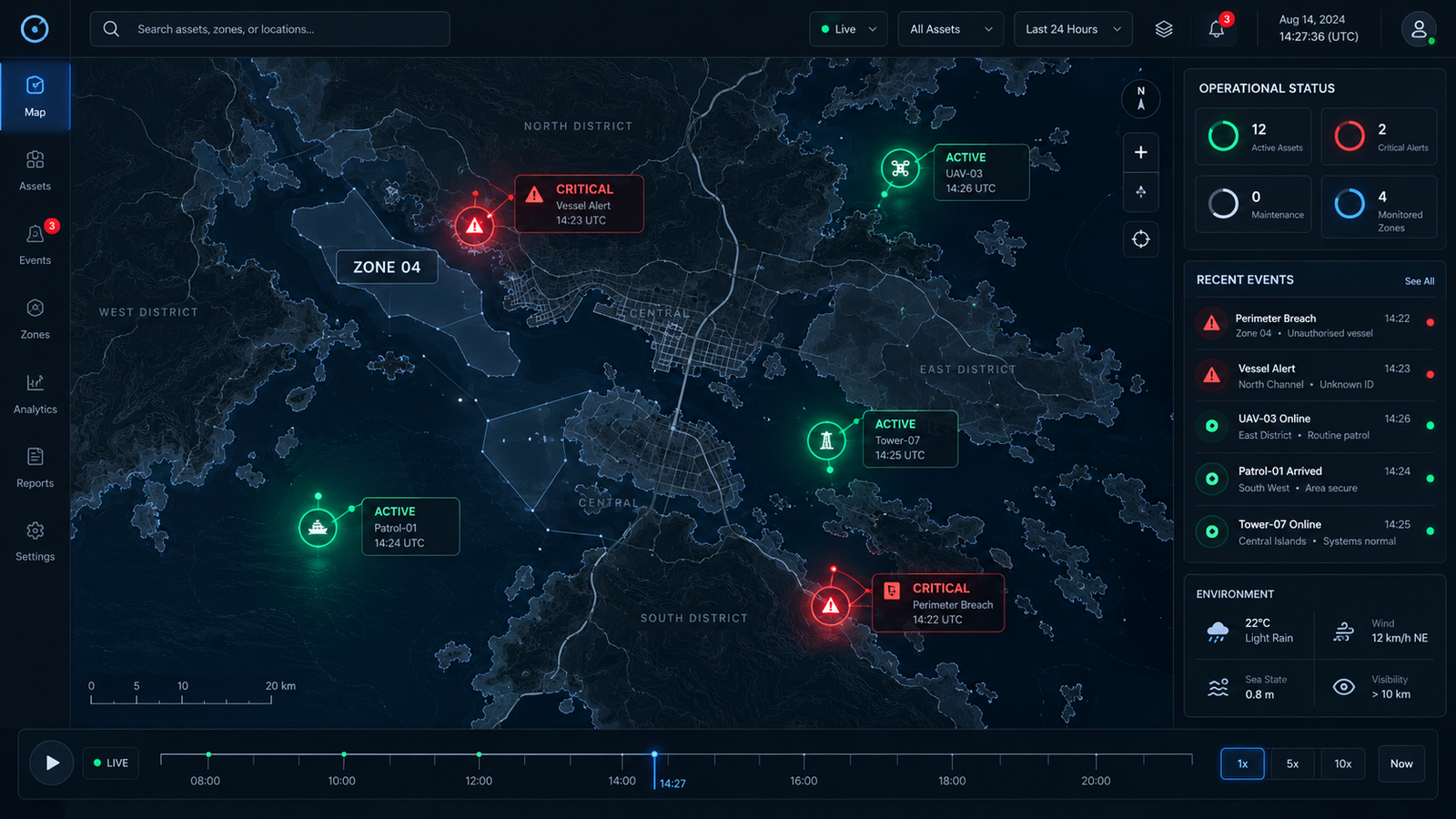
Basemap competition

Reduce background competition so status, labels, and exceptions lead the scan path.

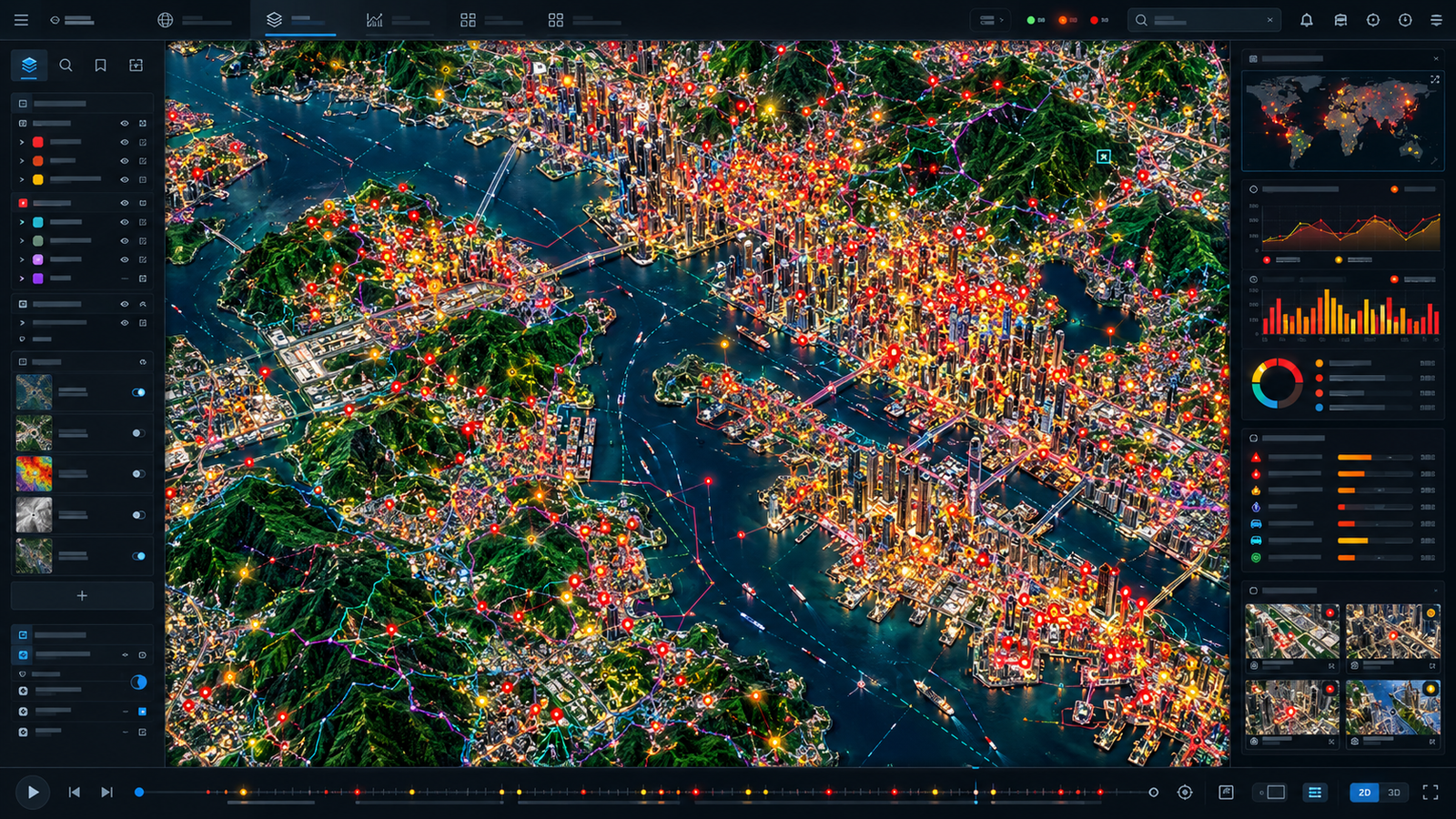
Flawed GIS dashboard with saturated imagery, dense neon pins, and competing map detail
FlawedTexture, linework, and marker volume compete for attention.
Corrected GIS dashboard with a restrained basemap and prioritized critical and active assets
CorrectedA restrained basemap gives operational status visual priority.
02

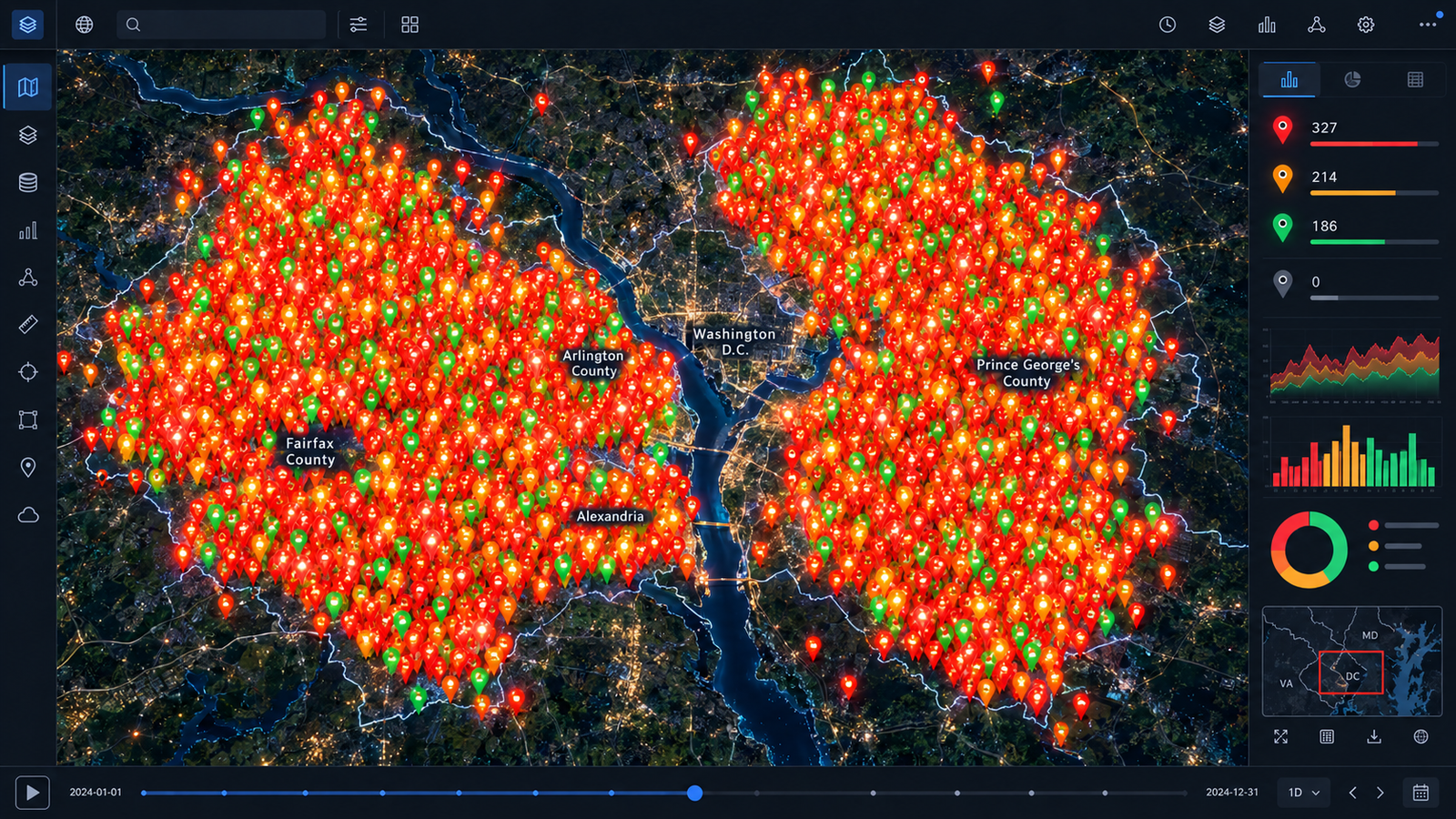
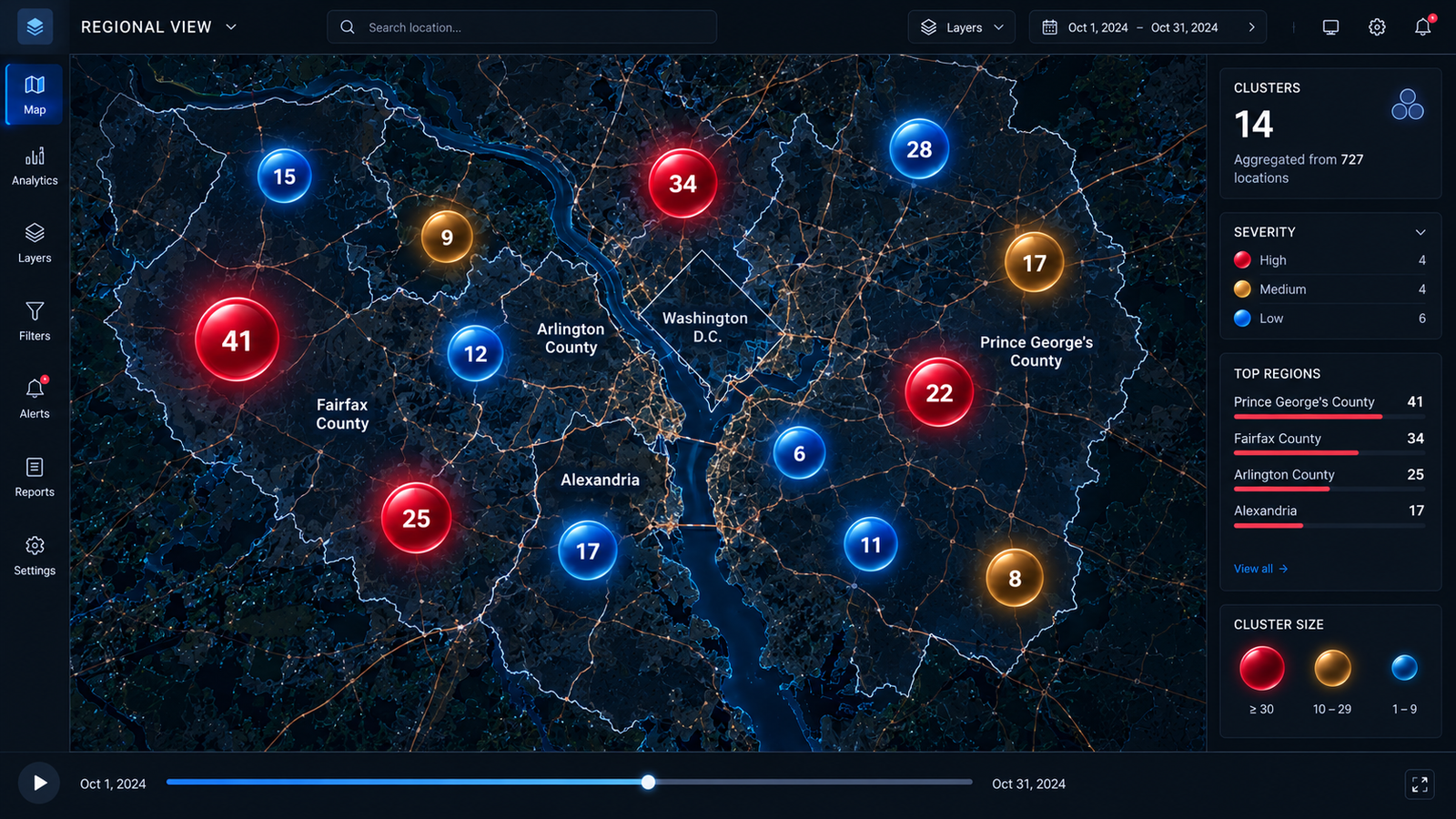
Marker clustering

Replace unreadable point overlap with countable summaries and retained severity cues.

Flawed regional GIS view overwhelmed by overlapping map pins
FlawedIndividual points obscure geography, labels, and relative magnitude.
Corrected regional GIS view using numbered severity clusters
CorrectedCluster counts restore context while preserving magnitude and alert visibility.
03

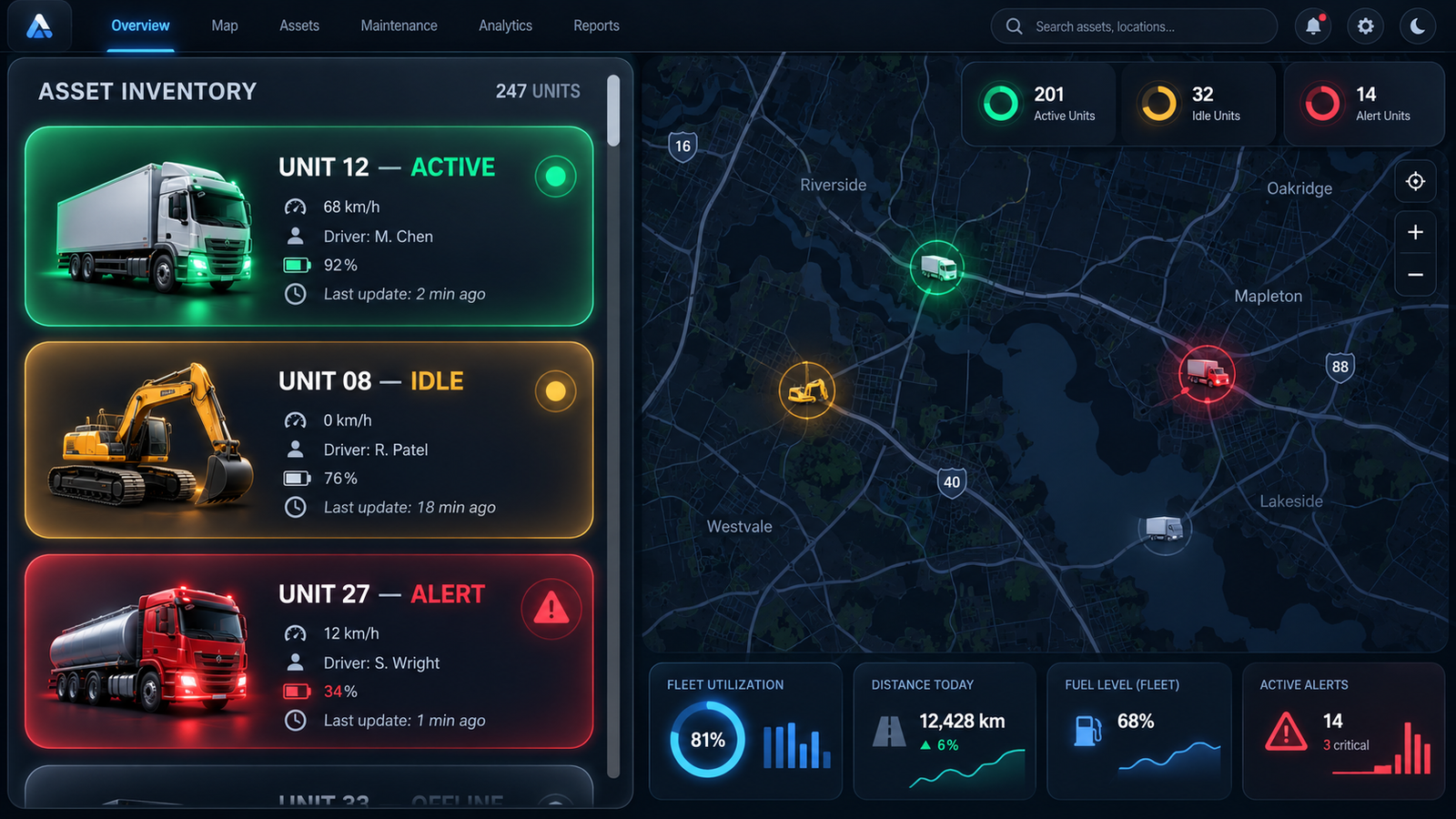
Information density

Replace oversized single-record treatments with a comparable inventory and visible exceptions.

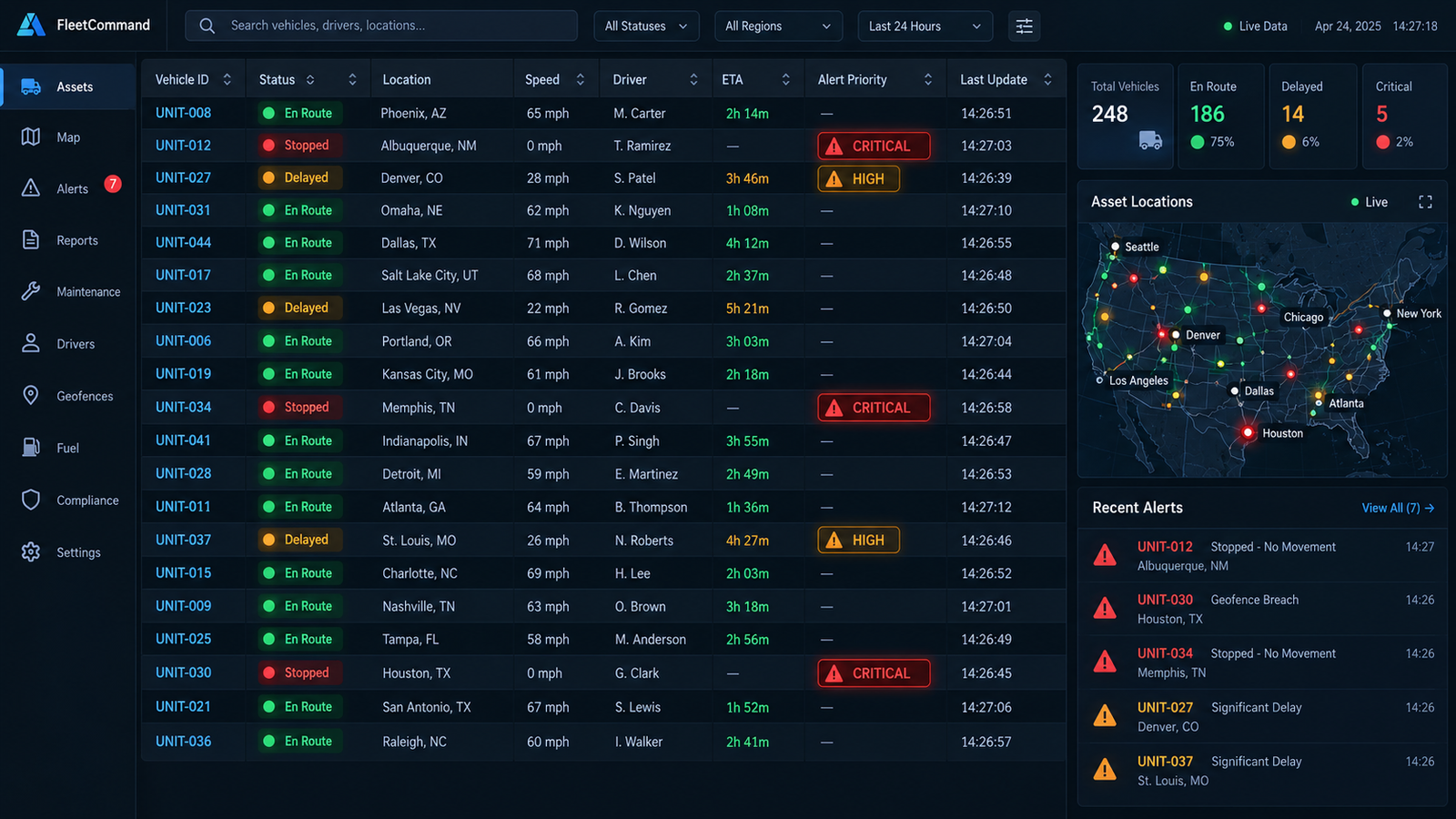
Flawed fleet dashboard dominated by oversized asset cards
FlawedOversized cards limit comparison and push inventory out of view.
Corrected dashboard with structured vehicle records and prioritized alerts
CorrectedAligned fields support comparison while alerts retain priority.
04

Spatial query workflow

Connect direct geographic selection to shared map and record state without a hard reload.

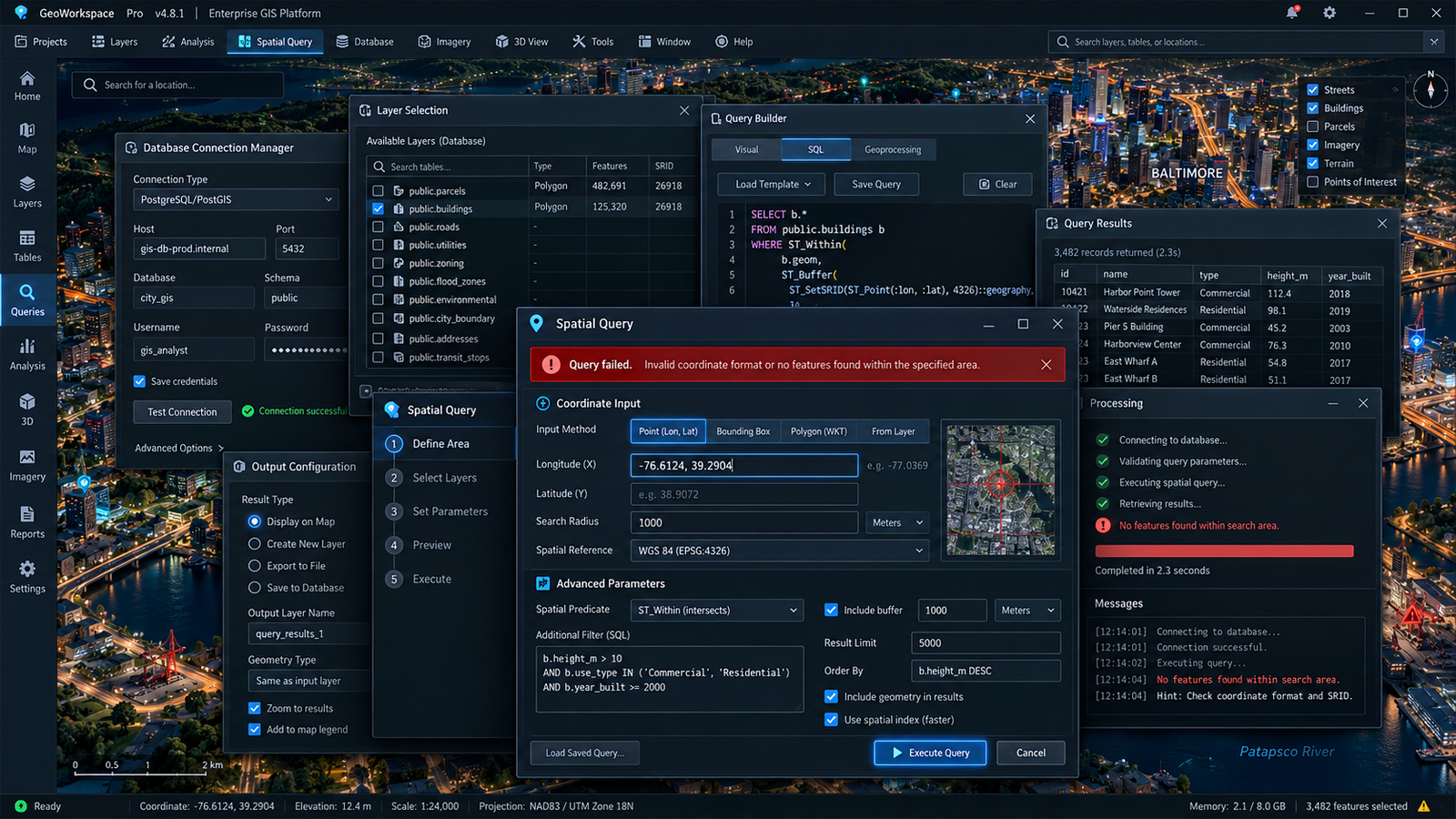
Flawed spatial query interface with overlapping setup and error dialogs
FlawedOverlapping tools split attention across setup, execution, and failure.
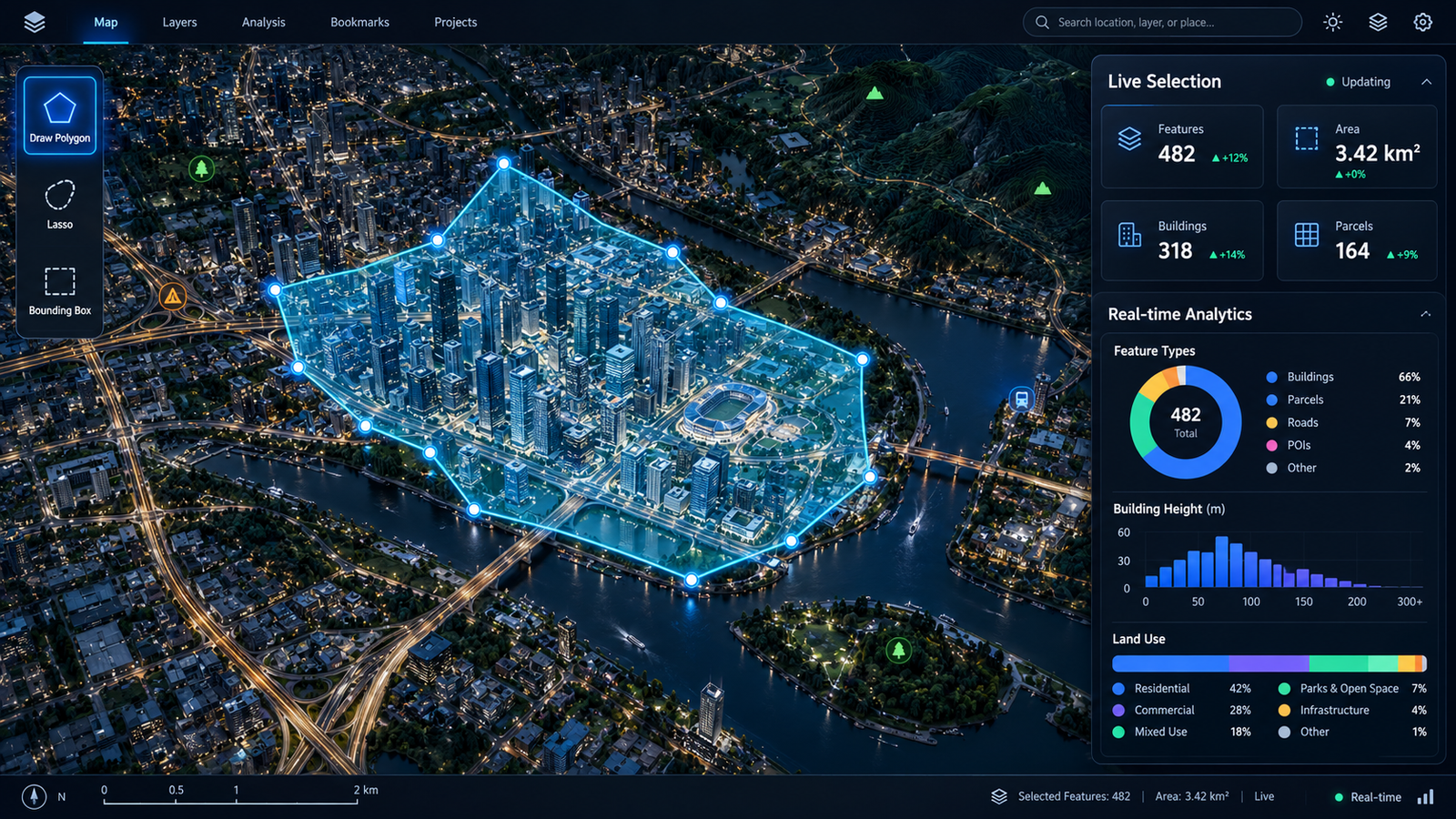
Corrected spatial query interface with direct polygon selection and live results
CorrectedDirect manipulation connects the selected area to visible results.

Visual evidence boundary These generated concept mockups use simulated interface content and synthetic data. They show evaluation and redesign reasoning, not a deployed client system or measured performance.

Evaluation criteria

Acceptance conditions keep the redesign inspectable

Evaluation areaObserved riskProposed acceptance condition
Readable layersBackground texture competes with status and labels.Evaluate text and relevant graphics against their actual backgrounds and states.
Useful aggregationFixed markers conceal magnitude and urgent members.Conserve counts, expose severity composition, and preserve exception access.
Persistent queryingForm submission or stale responses reset context.Retain camera and selection; cancel or ignore superseded responses.
Comparable recordsOversized cards reduce simultaneous comparison.Use compact readable rows that still support wrapping, zoom, focus, and touch.

Method and findings

The map and table become two views of one selection

01

Shared state

Camera, geometry, selected IDs, and request generation are coordinated so newer actions cannot be replaced by stale results.

02

Priority preservation

Aggregates expose count and severity, while drill-down and synchronized records retain access to critical exceptions.

03

Accessible alternatives

Keyboard, focus, non-drag input, readable labels, and non-color cues remain part of acceptance rather than polish added later.

04

Proposed validation

Equivalent task scenarios would measure time, missed exceptions, incorrect selection, latency, and camera continuity without inventing outcomes.

Evidence boundary The report supports a researched analysis and proposed validation plan. It does not supply a named client, production integration, experiment log, revenue result, measured satisfaction, or full accessibility conformance evidence.

Mapping Machine Intent to Operational Reality

Case study · Spatial intelligence demonstration

Explore SarDev Metropolitan

Associated experience: Interactive Geospatial Intelligence Dashboard. The demonstration moves from a fictional city overview into three architectural records while preserving entity identity, camera context, and accessible record access.

Problem
Visual selection, detailed models, and records can drift or lose context.
Scope
Three fictional building profiles on a synthetic local grid.
Method
One canonical entity model, interruptible transitions, semantic controls, and fallback rendering.
Result
A locally built demonstration; no surveyed property or production-system claim.

The design question

How can a spatial product reveal richer detail without making the visitor lose the map?

The city symbols, procedural buildings, selection state, metadata, and history archive resolve through the same canonical IDs. Selecting during camera travel invalidates the older completion callback, while archive close restores entity, view, mode, and focus context.

Semantic controls and records remain independent of the renderer. Reduced motion completes selection directly, and an interactive Canvas fallback preserves records and navigation if accelerated graphics are unavailable.

Design and implementation

One data model keeps every representation aligned

Local compiled assets support ordinary PHP hosting without a persistent Node service, paid map API, or runtime account.

01

Preserve orientation

Camera travel begins from the current pose, and the latest selection wins.

02

Make architecture distinct

Three procedural silhouettes use local geometry, daylight, shadows, paving, trees, and street context.

03

Keep records accessible

Native selectors, semantic records, keyboard guidance, reduced motion, and focus restoration do not depend on canvas picking.

04

Fail safely

Validated same-origin data and an interactive fallback preserve selection, controls, and history through graphics failure.

Evidence boundary SarDev Metropolitan, its buildings, coordinates, histories, owners, statuses, and architectural parameters are fictional demonstration data. They are not surveyed properties, live sensors, digital twins, structural assessments, or client records.

Interactive case study · Fictional city · Demonstration data

Explore SarDev Metropolitan

Select any building, move between city and architectural detail, inspect synchronized records, and open the internal building-history archive in the embedded Interactive Geospatial Intelligence Dashboard.